Uploading a file to Assets allows you use larger files (over 800MB) and use the same file across multiple projects.
You can also save a feature collection to Assets when you upload it to the map in the project workspace.
To upload a feature collection to use in Earth Blox, go to Assets > Locations > Upload.
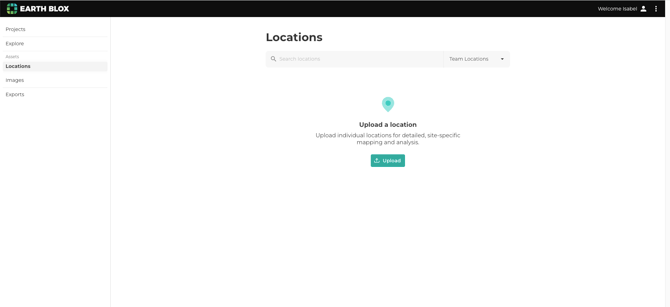
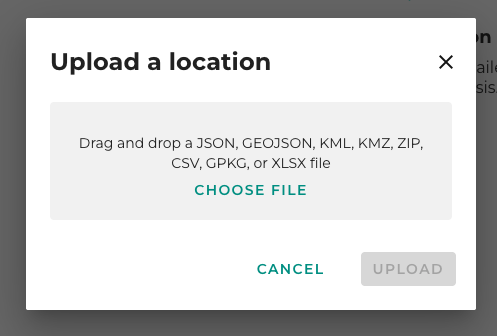
Drag and drop your file into the box, or click Choose file. You can upload a GeoJSON, GeoPackage, KML, KMZ, CSV or a zipped shape file.
When uploading a GeoPackage that contains multiple feature collections, only the first feature collection is added to your Assets.
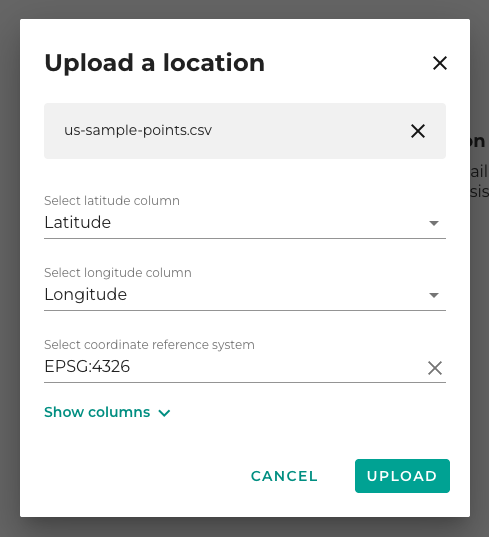
Uploading a CSV file for point data
When uploading a CSV file, select which column in your file to use for the Latitude and Longitude values. If you have columns labelled 'Latitude' and 'Longitude' in your file will be automatically selected.
The default for the coordinate reference system default is EPSG:4326, this can be changed using the dropdown.